homelab setup
-
Proxmox

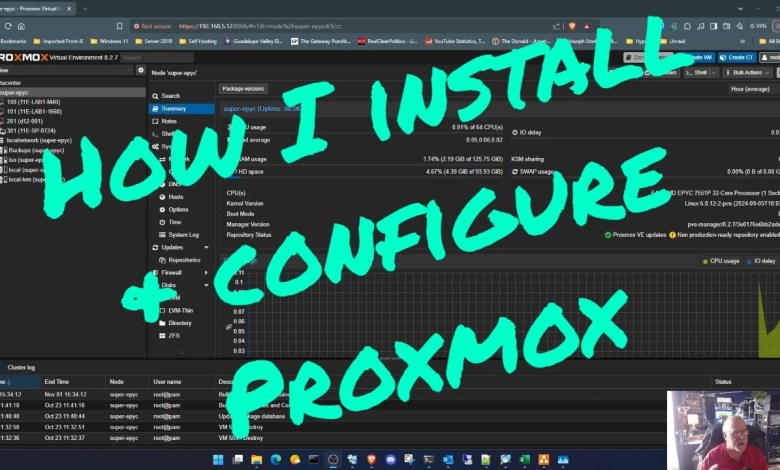
Get Started With Proxmox: Easy Installation And Configuration Tips!
Get Started With Proxmox: Easy Installation And Configuration Tips! I cover my default install of Proxmox on the Super-Epyc server. CREDITS: “Subscribe Button” by MrNumber112 Music I Use: License code: MS6H2K6QACHPUSXU Thanks for watching! I hope you all enjoy… Join us on LBRY: Facebook: Twitter : Email:unkyjoesplayhouse@gmail.com For PayPal or Patreon donations to Unkyjoe’s Playhouse, please visit the “About” section…
Read More » -
Proxmox
How To Setup Homepage Dashboard | Must Have For Your Homelab
In this video I go over how to setup your Homepage Dashboard as a LXC Container in Proxmox. Check Out My Merch Store: barminetech.com Instagram: Barmine_Tech Join My Discord: Follow Me On Twitter: Links: Hardware I Use: 32 GB Ram Kit: HP EliteDesk 800 G4: 2.5″ SSD: 2TB NVME: USB Splitter: USB to USB C: USB to Outlet: Raspberry Pi…
Read More » -
Virtualization
How to Start a Home Lab: Beginner’s Guide to Planning, Networking, Virtualization, & Linux!”
Hey tech enthusiasts! 🚀 If you’re looking to level up your IT skills, build your own private cloud, or simply experiment with virtualization and networking, setting up a home lab is the perfect way to do it. In this video, I’ll walk you through everything you need to know to start your very own home lab, from defining your goals…
Read More » -
Proxmox
How to Download & Install Kali Linux on Proxmox with Remote Access (XRDP + Audio) – #12
In this step-by-step tutorial, you’ll learn how to download and install Kali Linux on Proxmox, configure a virtual machine, and set up remote access with XRDP, including audio output support. Download ISO directly to proxmox: CODE mentioned in Video: sudo apt install xrdp -y # Add lines to file export DESKTOP_SESSION=kali export GNOME_SHELL_SESSION_MODE=kali export XDG_CURRENT_DESKTOP=kali:GNOME sudo service xrdp start sudo…
Read More » -
Virtualization
20 Home Server Projects You MUST TRY NOW
If you’re into tech or eager to dive deeper into the world of IT, building your own servers is one of the most rewarding things you can do! In this video, I’ll walk you through 20 of the top servers you can set up right at home. I’ve spent a lot of time building servers in my #homelab, and the…
Read More » -
Proxmox
How to migrate Hyper-v vhdx VM to Proxmox qcow2
How to migrate Hyper-v vhdx VM to Proxmox qcow2 Hyper-V and Proxmox VE are both popular virtualization platforms, but they utilize different virtual machine formats. Hyper-V uses VHD or VHDX formats, whereas Proxmox VE uses QEMU and typically employs QCOW2 or raw formats. In this video, I will go through migrating a Windows Hyper-v Virtual machine with the VHDX dynamic…
Read More »